
If you are a gamer who enjoys customization, building, and designing, you may already be familiar with these types of games. Nowadays, many games that offer these features belong to the RPG (Role-Playing Game) genre.
One of the most exciting aspects of these games is the freedom they give players to customize and create almost anything they want. As long as the game provides a wide variety of components, commonly known as Item Parts, along with different Skills, players can enjoy experimenting with various combinations and creating something truly unique.
All the features mentioned above can also be found in a particular type of RPG that focuses on customizing and building combat robots, commonly known as Mecha Customization RPGs.
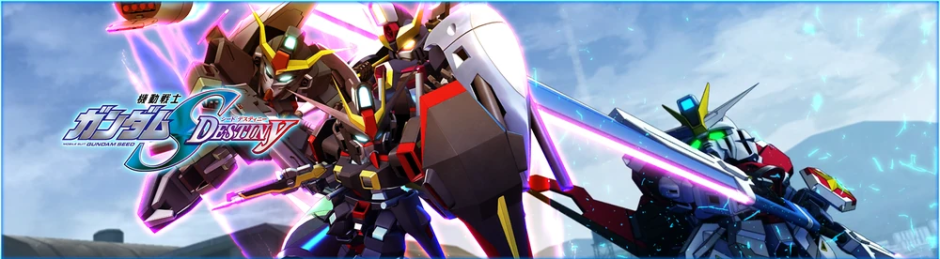
One of the most well-known examples from Japan is the Gundam Breaker series, which allows players to build and customize their own Gundam units using various parts and equipment.
And now, it is time for Thai gamers to experience a similar style of combat robot customization game developed by a talented team from Thailand.
That game is M.A.S.S. Builder, created by the Thai game development studio known as The Vermillion Digital.
- Story


In this game, you will take on the role of a pilot who controls a powerful combat robot (the robot itself looks somewhat similar to a Super Mecha, at least in my opinion. If you think it resembles a different type of robot, feel free to share your thoughts in the comments below!).
The enemies that you will have to face are groups of terrifying monsters, or what some people might even call aliens from outer space.
As a player, your mission is to protect the Earth from these dangerous creatures and prevent them from threatening humanity.
Build your own combat robot, customize it with your favorite parts and equipment, and prepare yourself for battle!
Now, let’s take control of our powerful Mecha and eliminate these monsters together!
- Mecha and Customization Base Renaming Menu
This menu allows players to give their own combat Mecha a unique name of their choice.
Another feature available in this menu is the ability to rename the base where players customize and build their Mecha.
However, based on my personal experience playing this game, I remember that changing the base’s name for a second time requires a certain amount of in-game currency. If I remember correctly, the cost was either 100,000 or 10,000 in-game currency, although I am not entirely sure about the exact amount.
The game only allows players to name their base for free once. After that, changing the base’s name again will require players to spend in-game currency.
(Please note: This information is based on my experience with the version of the game I played. If you are playing a newer version of the game and this feature has been changed or updated, feel free to let me know in the comments below!)
- Mecha Customization Menu (All Parts)

In this menu, players can freely use various components, commonly referred to as Parts, to assemble and create their own combat Mecha based on their personal ideas and preferences.
Players can customize almost every part of their Mecha, ranging from the head components all the way to the Backpack. At least, that is based on my own experience customizing Mecha in this game!
Another important thing that players should keep in mind when using this menu is that building and customizing a Mecha requires a variety of different parts.
Therefore, at the beginning of the game, players may have only a limited number of parts available for customization. However, as they continue playing and making progress, more customization parts and weapons will gradually become available to unlock through Blueprints, allowing players to use them to build and customize their own combat Mecha.
- Weapon Customization Menu (Create + Equip)


In the weapon customization menu, unlocking Parts to assemble different weapons works in much the same way as unlocking parts for building and customizing your Mecha.
However, the main feature that makes this menu special is the freedom it gives players to create and design their own favorite weapons based on their personal preferences using the Blueprints they have unlocked.
Whether you want to create a sword, spear, greatsword, or scythe, you can build your own weapon as long as you have the necessary parts available.
And that is not all! Players can also create long-range weapons, including Beam Rifles, giving them even more options to customize their combat style.
With the right parts and Blueprints, you can design weapons that suit your playstyle and make your Mecha truly unique!
- Mission Menu


In the Mission Menu, players can enjoy taking on various missions to fight and eliminate alien creatures from outer space, ranging from small enemies to much larger and more dangerous ones.
The types of missions available will also vary depending on the situations and events in the game’s storyline.
For example, some missions require players to eliminate or destroy entire hordes of alien creatures, while others involve locating and securing radio communication towers at various points throughout the mission area.
These are just a few examples of the missions I have experienced so far while playing the game.
However, I am not sure whether the developers have added more missions beyond the ones mentioned above. When I first played the game, it was still in an open testing phase, allowing players to try it out before its further development.
By now, the game may have received updates that introduce new missions and objectives.
If you have played the latest version of M.A.S.S. Builder and discovered any new missions, feel free to share your experience in the comments below!
- Skills and Skill Equipping Menu (Development + Tuning)


After completing each mission, the game will display the items and in-game currency that the player has earned as rewards. Players can use these items, materials, and currency to upgrade their combat Mecha through the Skills Menu.
Each skill has different requirements for unlocking it. Some skills may also require a considerable amount of items or materials before they become available.
As for equipping and upgrading skills, based on my own experience playing the game, the more you upgrade your skills, the stronger your combat Mecha will become!
Unlocking powerful skills and equipping them on your Mecha can also make completing missions much easier, giving you a better chance of defeating enemies and overcoming various challenges throughout the game.
- Option Menu
In this menu, players can customize various game settings to suit their personal preferences, including Mecha Controls, Game Audio, Screen Settings, and Graphics Settings.
This allows players to adjust the controls for operating their combat Mecha, change the game’s sound settings, configure the screen display, and adjust the graphics quality to create a more comfortable and enjoyable gaming experience.
เป็นบุคคลที่ชื่นชอบในเรื่องของเกมส์และชอบเล่นเกมส์อยู่เป็นประจำ จนมีความรู้และประสบการณ์ทางด้านนี้ เลยนำเกมส์ที่ตนเองชอบมากที่สุดมาแชร์และแลกเปลี่ยนประสบการณ์ให้กับนักเล่นเกมส์มือใหม่ครับ อย่าลืมส่งความเห็นมาด้วยนะครับ !